Product
Eight surfaces, one workspace
From the first profile to the closed deal, under your brand.
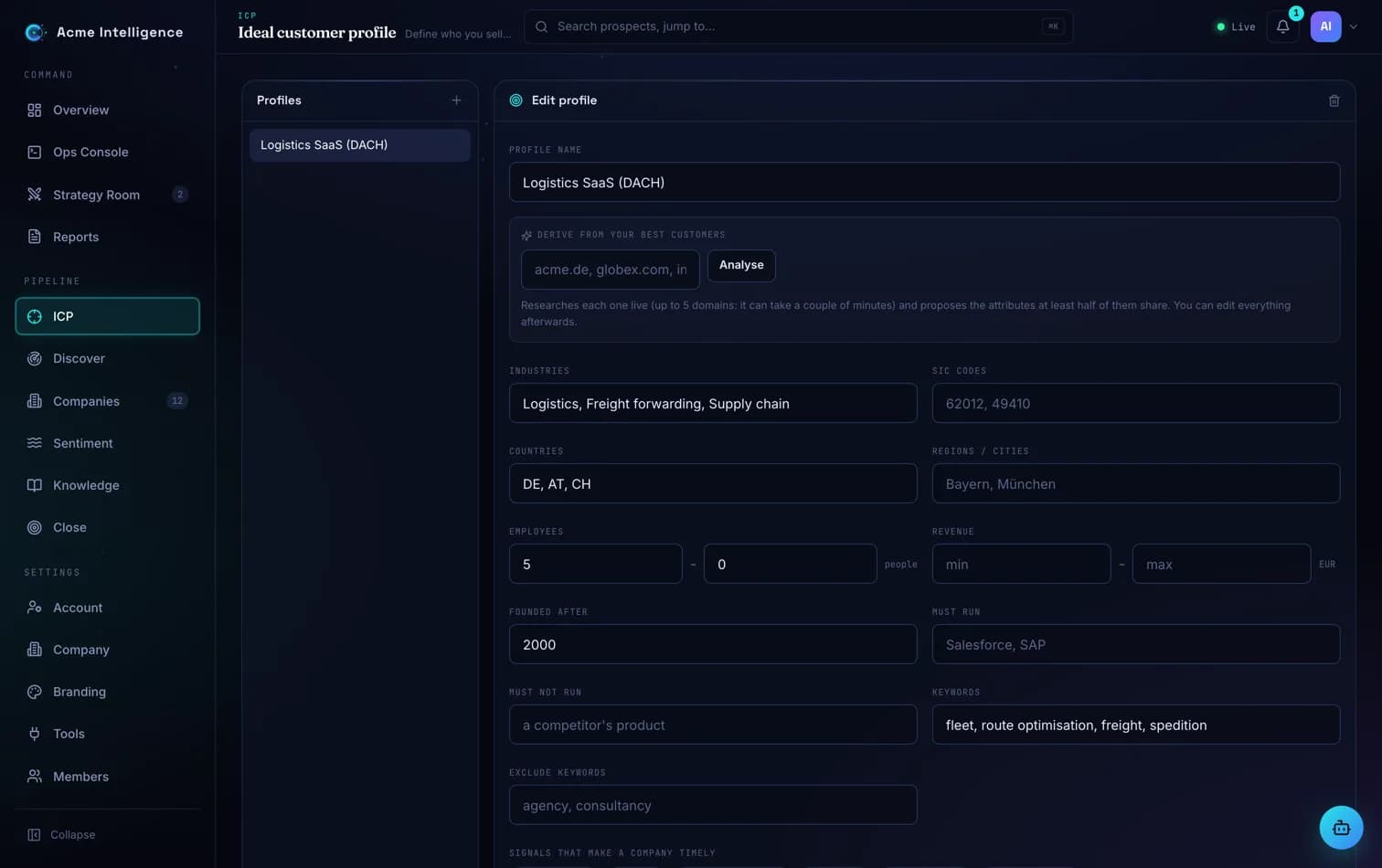
01 · ICP
A profile is a yardstick, not a filter
Leave a criterion blank and it drops out of the score instead of excluding good accounts. Derive a profile from customers you already won, then edit it.
Most teams start with three criteria, run one discovery, and tighten from there. The per-criterion explanation shows which rule moved a score, so you refine the profile rather than argue about individual accounts.
- Industry, size, region, technology, keywords, timing signals
- DACH regions as first-class filters
- Per-criterion explanation on every score
02 · Discover
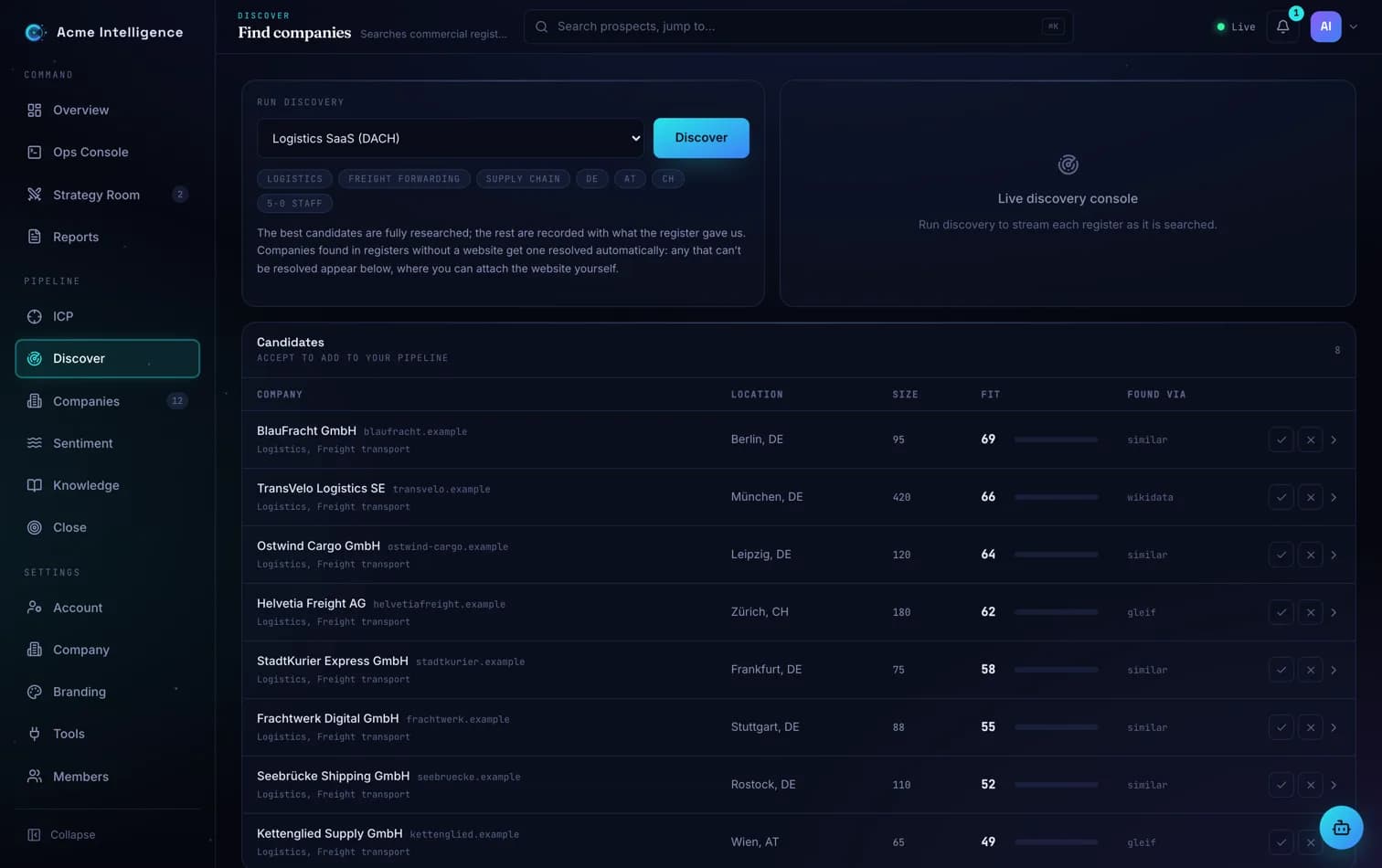
Candidates arrive scored, with the source that found them
Commercial registers, the global legal-entity register, web search and lookalikes of accepted companies. Sources that do not apply to your profile show as skipped, not failed.
A run streams results as they arrive. You accept a company into the pipeline or dismiss it for good, and each decision feeds the next run: accepted companies seed lookalikes, dismissed ones never come back.
- Register-only companies keep their registry identity until you attach a domain
- Dismissed companies never resurface
- Accepted companies seed the next lookalike search
03 · Companies
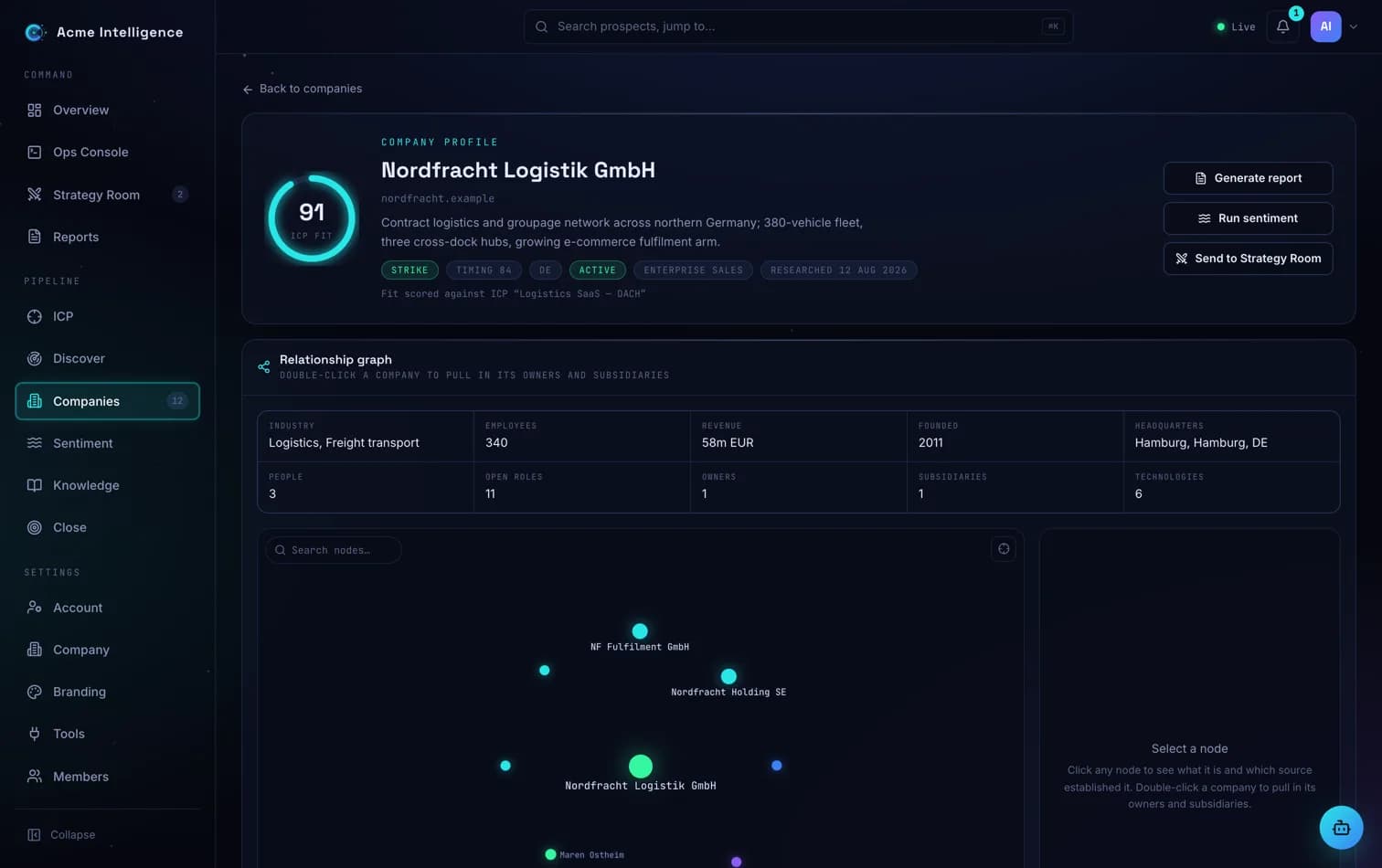
The dossier that says where every fact came from
Legal identity, ownership, executives, hiring, technology, coverage. Unknowns stay "not established". Open the relationship graph to see parents, subsidiaries, executives and shared technology, and expand any node.
Paste a list of domains and research runs in the background while you work. Open any dossier and every field shows the source that established it, the URL and a confidence, so the sentence you say in the meeting is one you can back.
- Provenance on every field: source, URL, confidence
- Expandable relationship graph
- Paste up to 1,000 domains and research in the background
04 · Sentiment
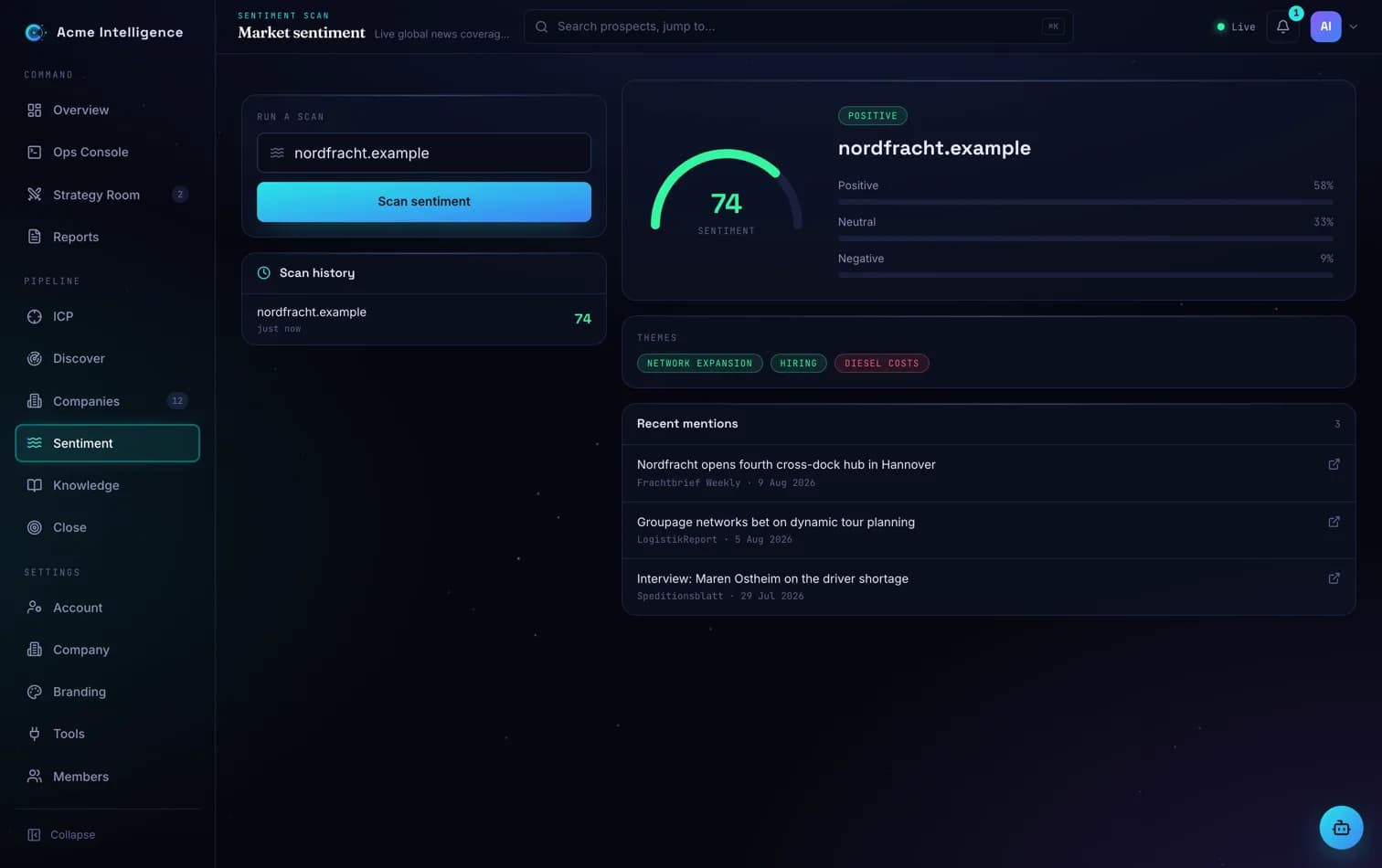
Read the room before you write the opener
A keyless scan of recent coverage, scored 0 to 100 with themes and the cited mentions behind each one.
Run it before a call to see what a company has been in the news for, and which themes recur. The latest score stays on the dossier, so the timing context is there when the Strategy Room drafts the approach.
- No news API key required
- Themes with cited mentions
- Latest score stays on the dossier
05 · Strategy Room
Specialist agents in three waves, a human before anything ships
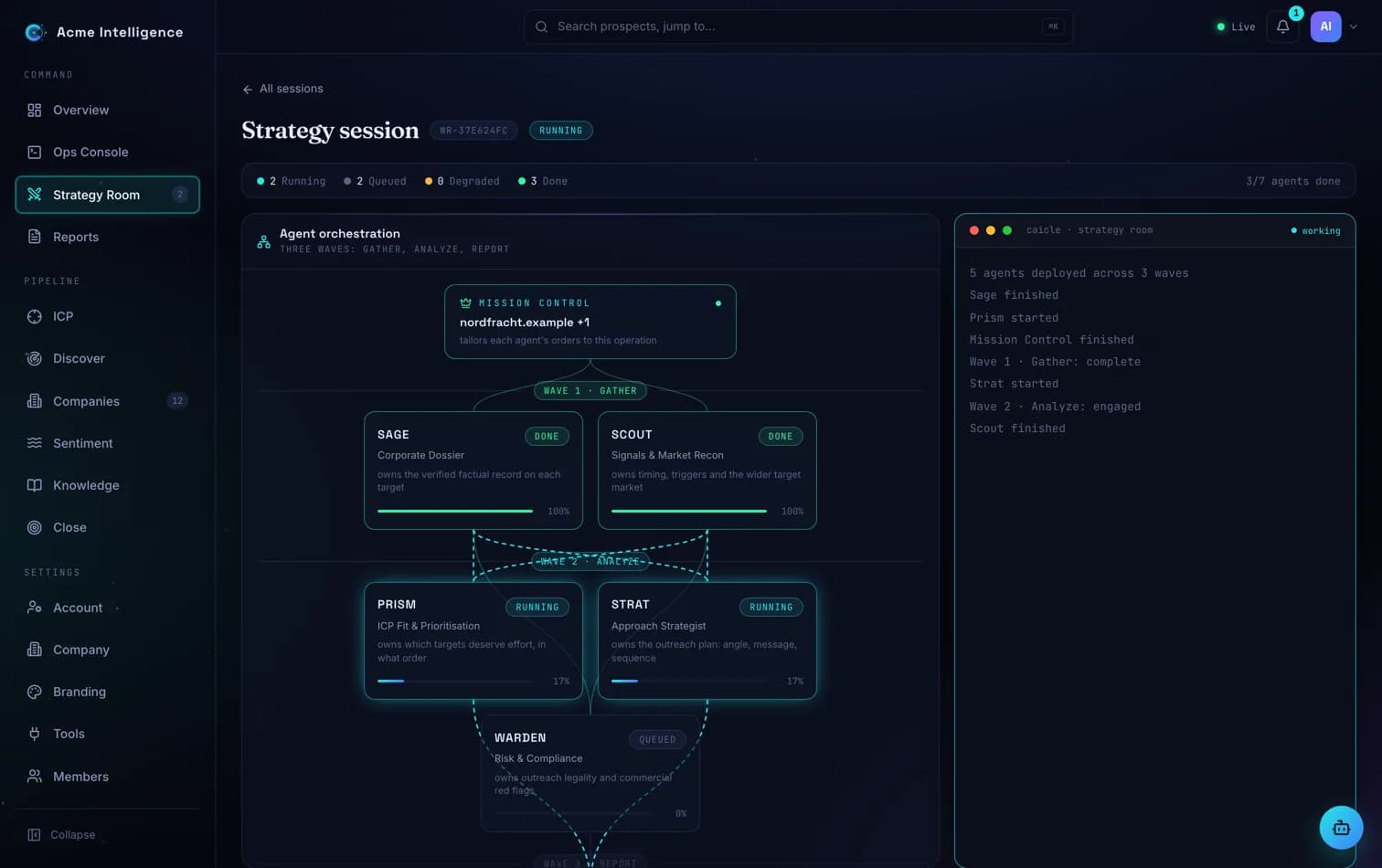
Your brief is tailored into orders for a team of named specialists. Wave one gathers the dossier and dated signals. Wave two scores fit, writes the approach and reviews compliance per jurisdiction. Wave three synthesises a boardroom report with citations and an honest confidence section. You review and approve before it becomes a report.
Launch a run from any strike-tier account, watch each wave complete, and open any specialist's working paper. Approval is a deliberate step: until you take it, the output stays marked as an AI-generated plan for your review.
- Every agent's working paper is inspectable
- The report names its gaps instead of papering over them
- Approval is the EU AI Act Art. 50 sign-off, built into the flow
06 · Reports
Documents your clients can hold
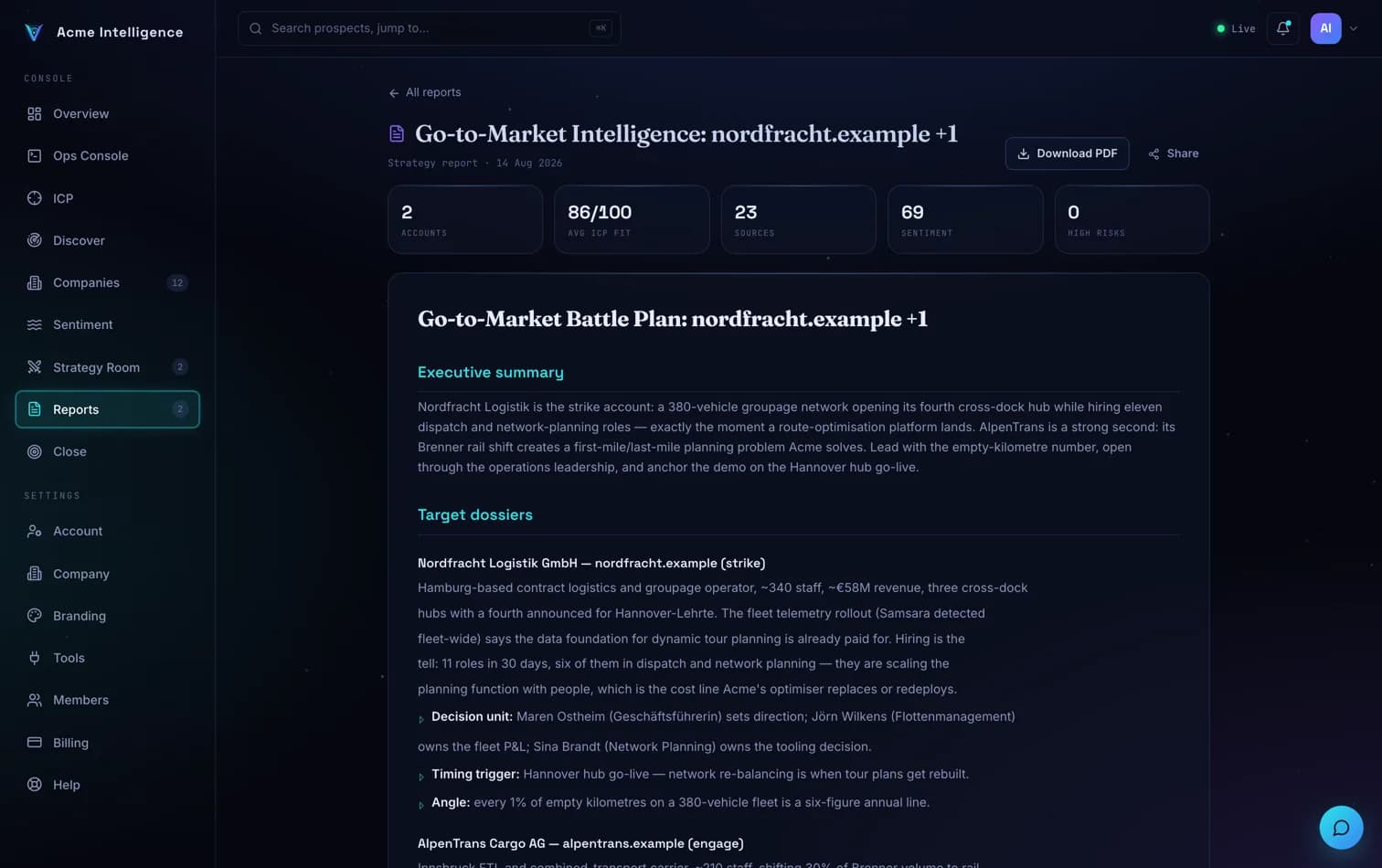
Company dossiers and strategy reports carry your logo and colours, export as PDF, and open from a public share link without an account.
Reports are where the work becomes a deliverable. Every dossier generates its GDPR Art. 14 notice, share links open on your brand, and the PDF is what lands in the client's inbox.
- GDPR Art. 14 notice generated on every dossier
- Public share pages under your brand
- Branded PDF export on every paid plan
07 · Close
Outcomes your team can learn from
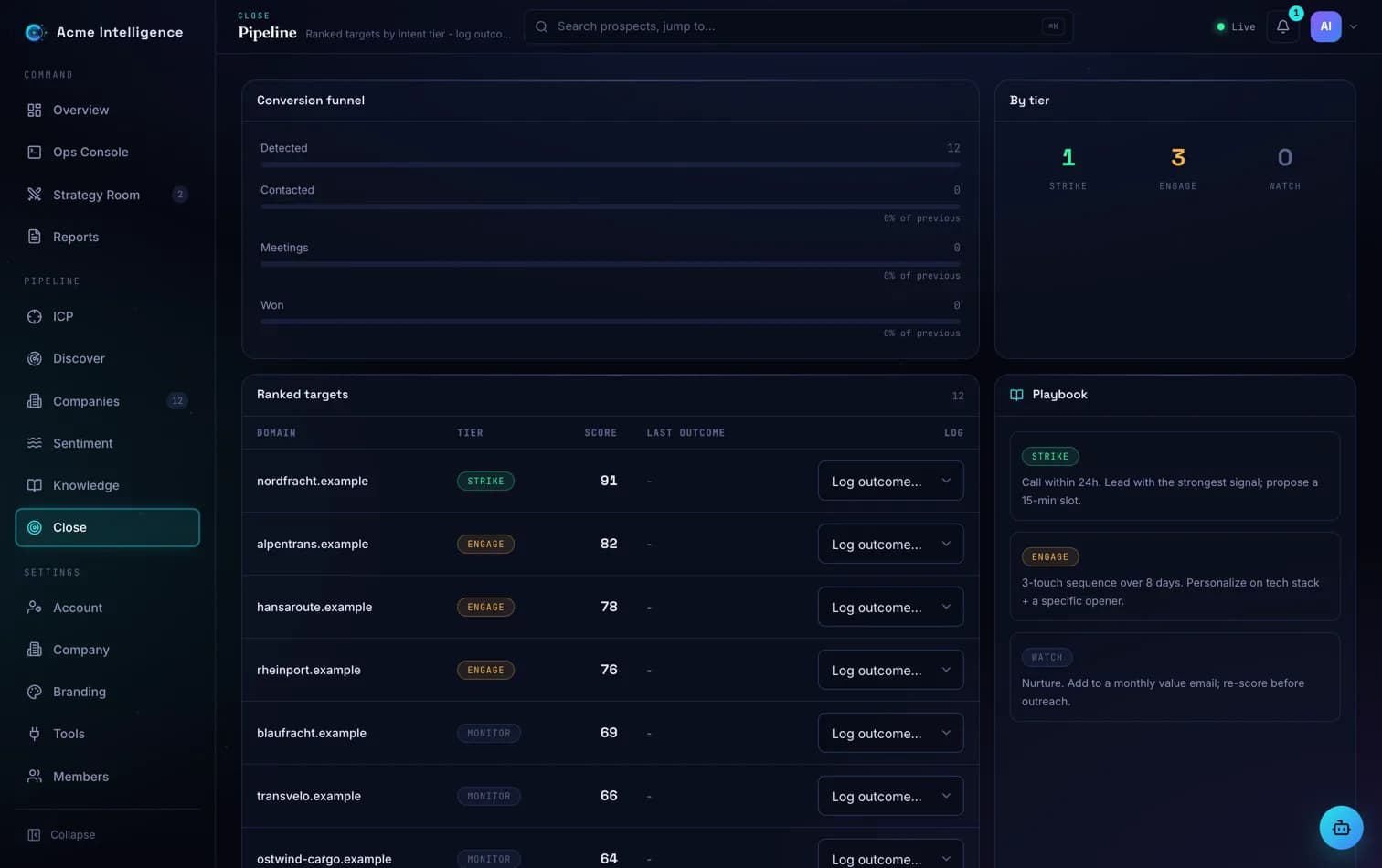
Close tracks contacted, meeting, won and lost for every account in the pipeline.
Log the outcome after each touch and the pipeline view keeps the week honest. Won and lost accounts feed back into the next discovery run, and HubSpot sync on Scale keeps your CRM in step.
- Contacted, meeting, won and lost stages
- Won and lost sharpen the next discovery
- HubSpot sync on Scale and above
08 · Ops Console
An analyst that shows its work
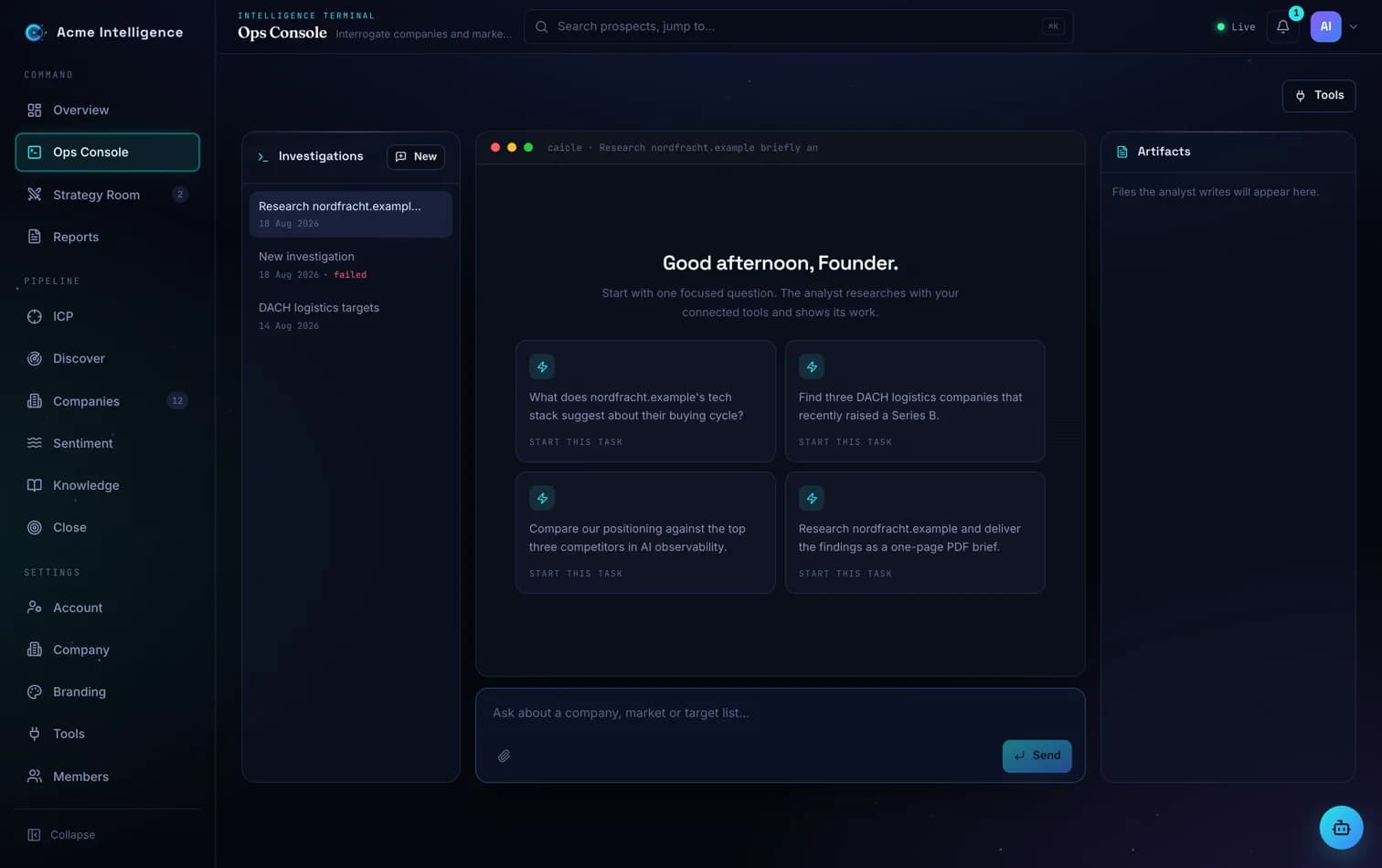
Ask in plain language. The analyst researches with the same tools the Strategy Room uses, shows each call as it runs, and saves nothing until you ask. Attach your own MCP tools on Professional and above.
Use it for the questions that do not fit a form: which of these accounts share a parent, what changed at a company since last quarter, who holds a given role. Each answer lists the calls it made and the sources it read.
- Web search, page fetch and live-answer search (Professional and above)
- Decision-maker lookup with professional-only scope
- Sandboxed runtime with no database route
See Caicle on the accounts you actually sell to
Start a free trial in minutes, or send us three domains and we will run them live with you.