The Ops Console is a conversation with a research analyst that actually does the work. It queries registers, reads pages, runs web search and checks sentiment, and shows each tool call as it runs, so you can see where every claim came from. It uses the same tools the Strategy Room uses, inside the same sandbox.
Ask things like: find three DACH logistics companies with a new managing director this year, or compare nordfracht.example and hansaroute.example on hiring and technology.
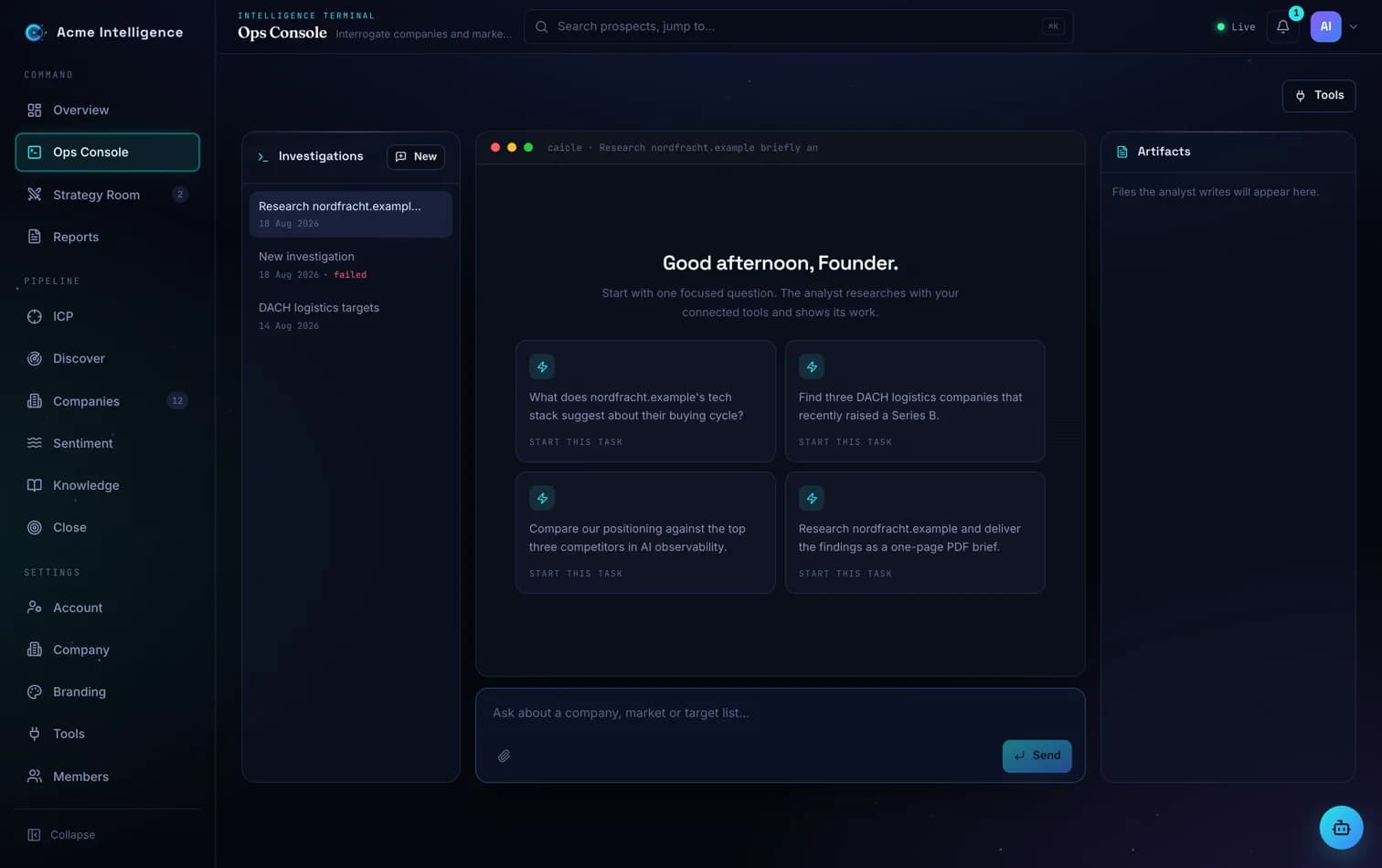
Start and pick up investigations
- 1Each conversation is an investigation, saved as you go. Reopen one from the Investigations list and the full history is back: questions, answers and research steps.
- 2Every investigation has its own link. Bookmark it, or send it to a colleague in your workspace, and it opens straight on that investigation.
- 3A new investigation offers starter prompts drawn from your own companies and profile. Picking one fills the composer so you can edit it first; nothing runs until you send.
- 4You can also start from elsewhere in the console: company pages, priority accounts on the Overview, Discover candidates, reports, the Strategy Room and the command palette all open an investigation with the question already filled in.
Work with answers
Every answer carries its own actions. Copy it, retry it, save it as a PDF, add the companies it names to your pipeline, or rate it so the analyst gets better.
Keep what it finds
- 1When the analyst presents companies you like, say add these to my pipeline. They are saved to Companies and researched in the background.
- 2Ask for a CSV or a written brief and it appears in the Artifacts panel, ready to preview, download or open.
- 3The Artifacts panel also shows which companies the analyst saved to your workspace in this investigation, and the sources behind its answers.
- 4Nothing is saved without you asking. Exploration stays exploration.
Share and export
- 1Share an investigation with your workspace. Colleagues can read it; only you can continue it.
- 2For someone outside the workspace, create a public read-only link. It opens without an account for 7 days, and you can revoke it at any time. Admins can turn public links off under Settings, Company.
- 3Export an investigation as a PDF or a Markdown file: the questions, the answers and their sources, without the technical steps.
Under Settings, Tools you can attach your own MCP servers on Professional and above: internal databases, CRMs, custom research tools. The analyst uses them alongside the built-in research engine, from inside the sandbox.